
OAuth Quickstart
This page shows the smallest useful Meridiem OAuth flow: send a user to Meridiem, receive an authorization code, exchange it for tokens, and call the API.
If you are using an auth library, Meridiem behaves like an OAuth/OIDC provider. If you are building by hand, start here.
Create an app
In Meridiem, open Settings -> Developer -> Apps -> Manage Apps -> Create App.
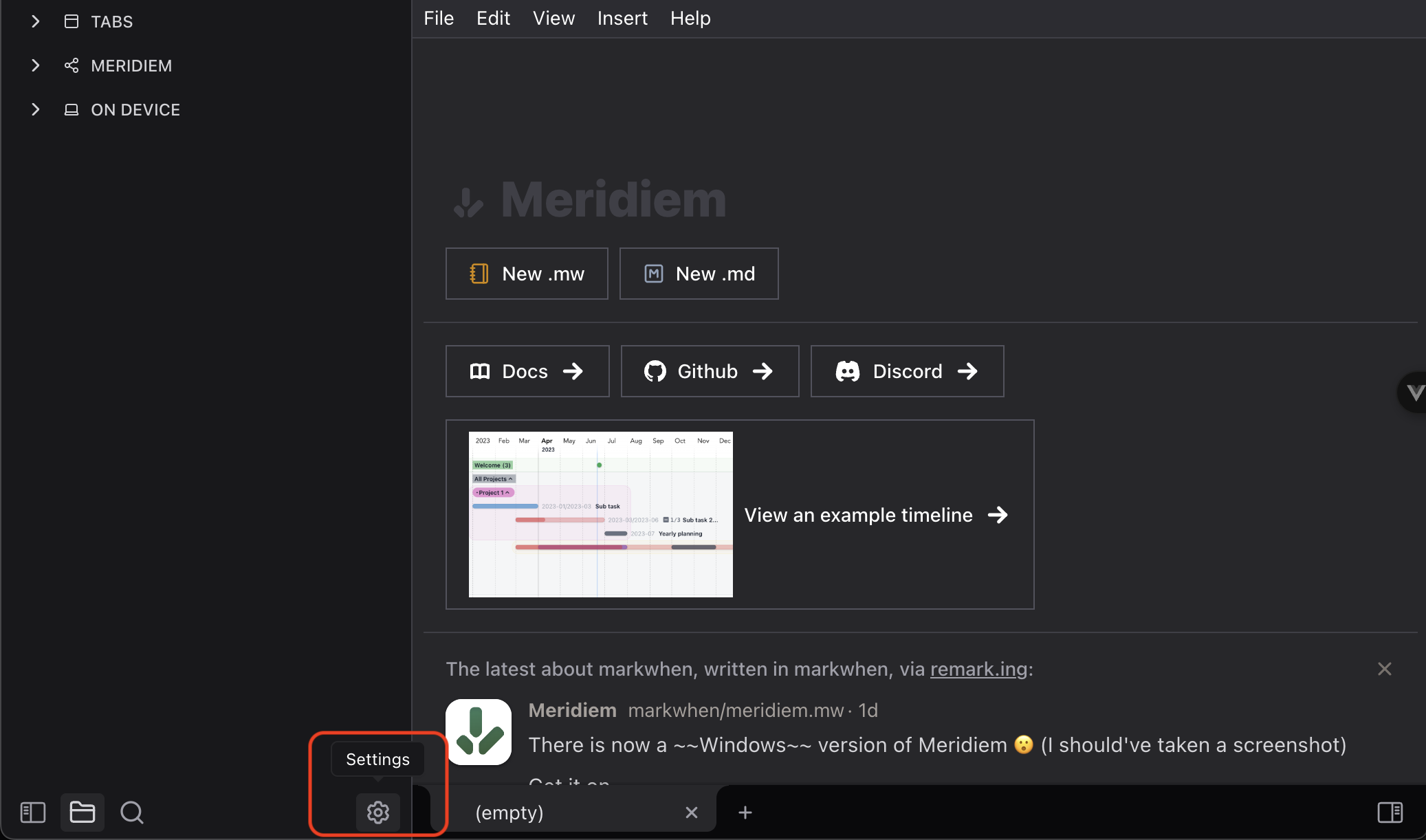
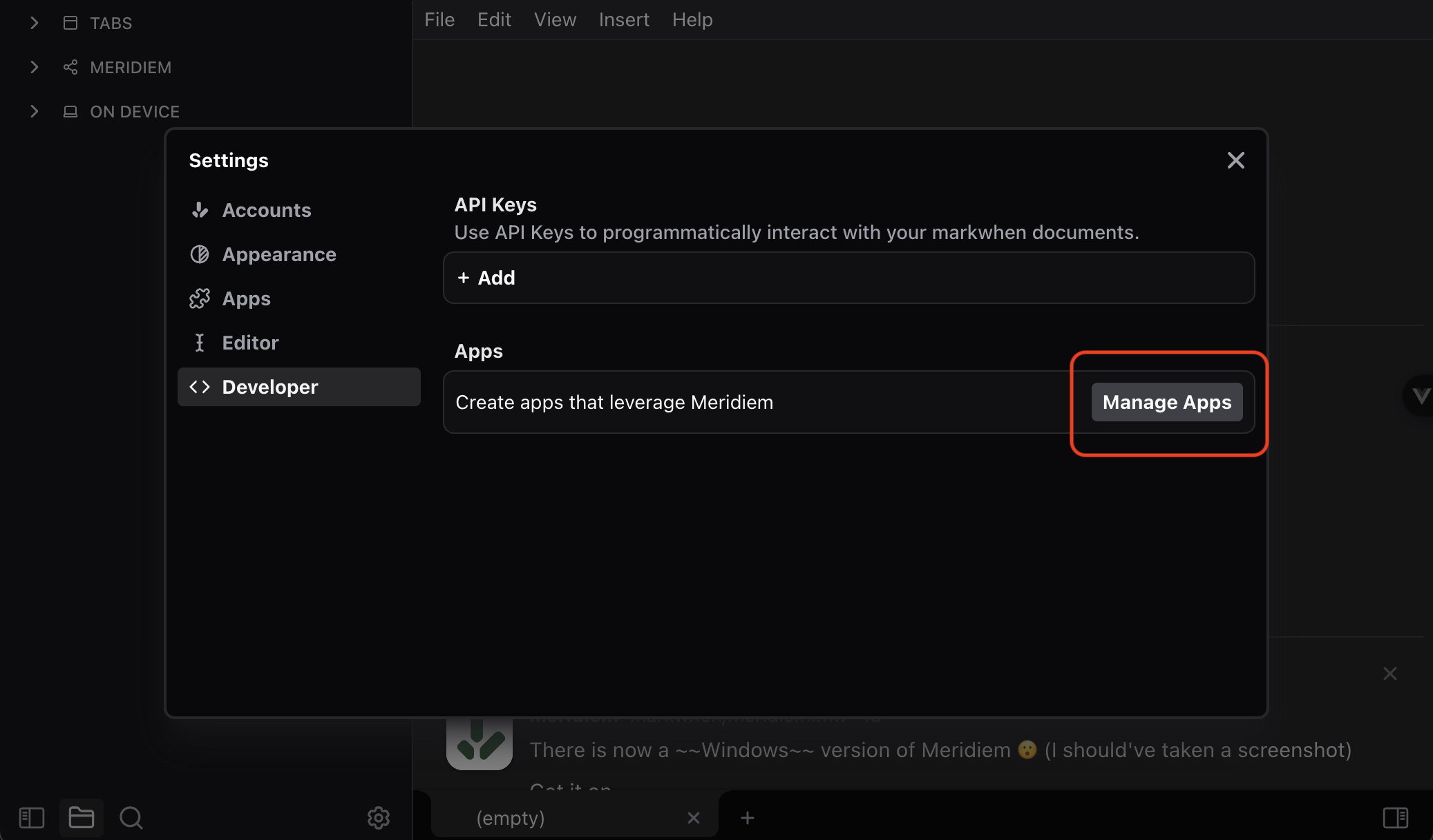
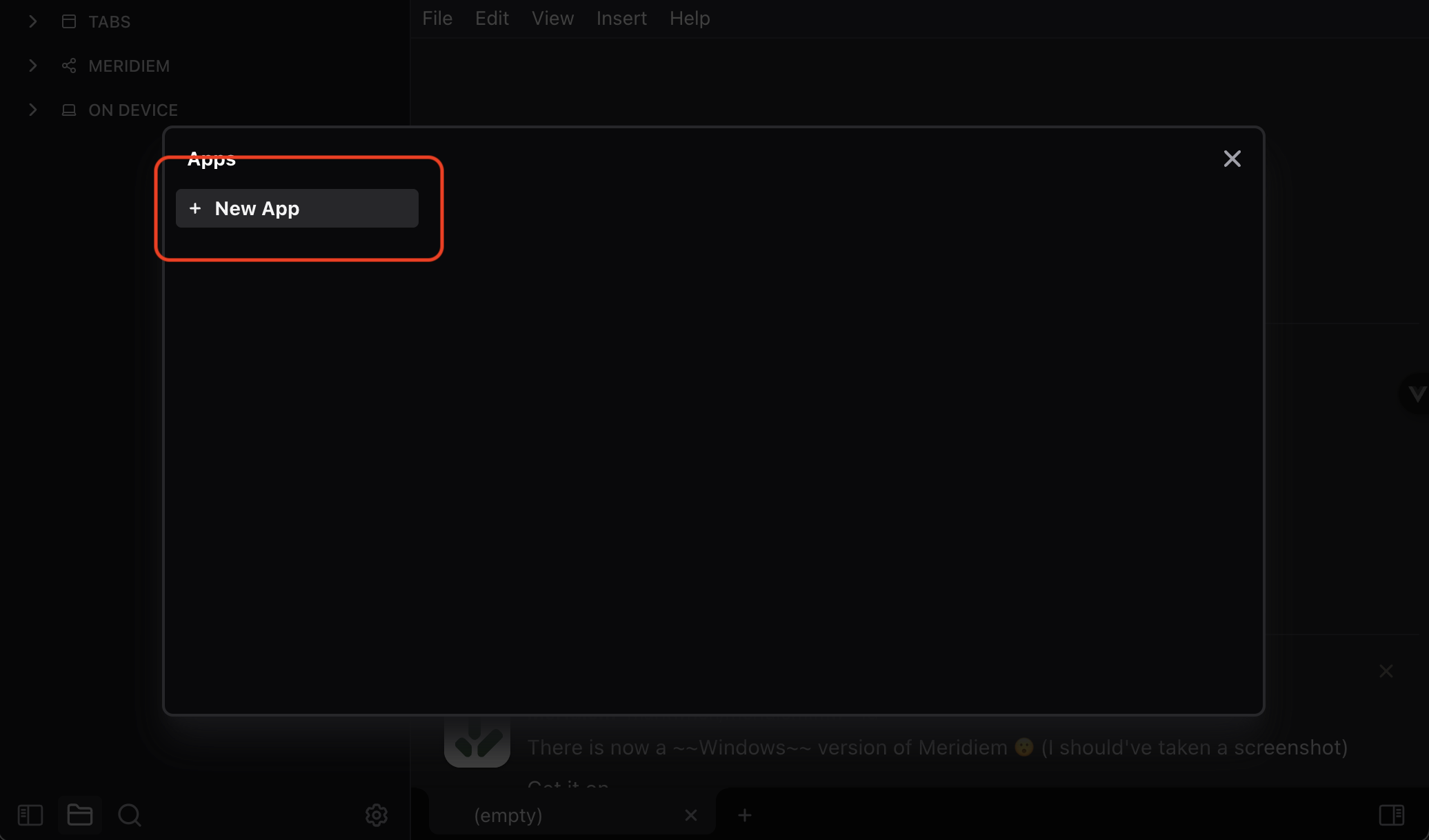
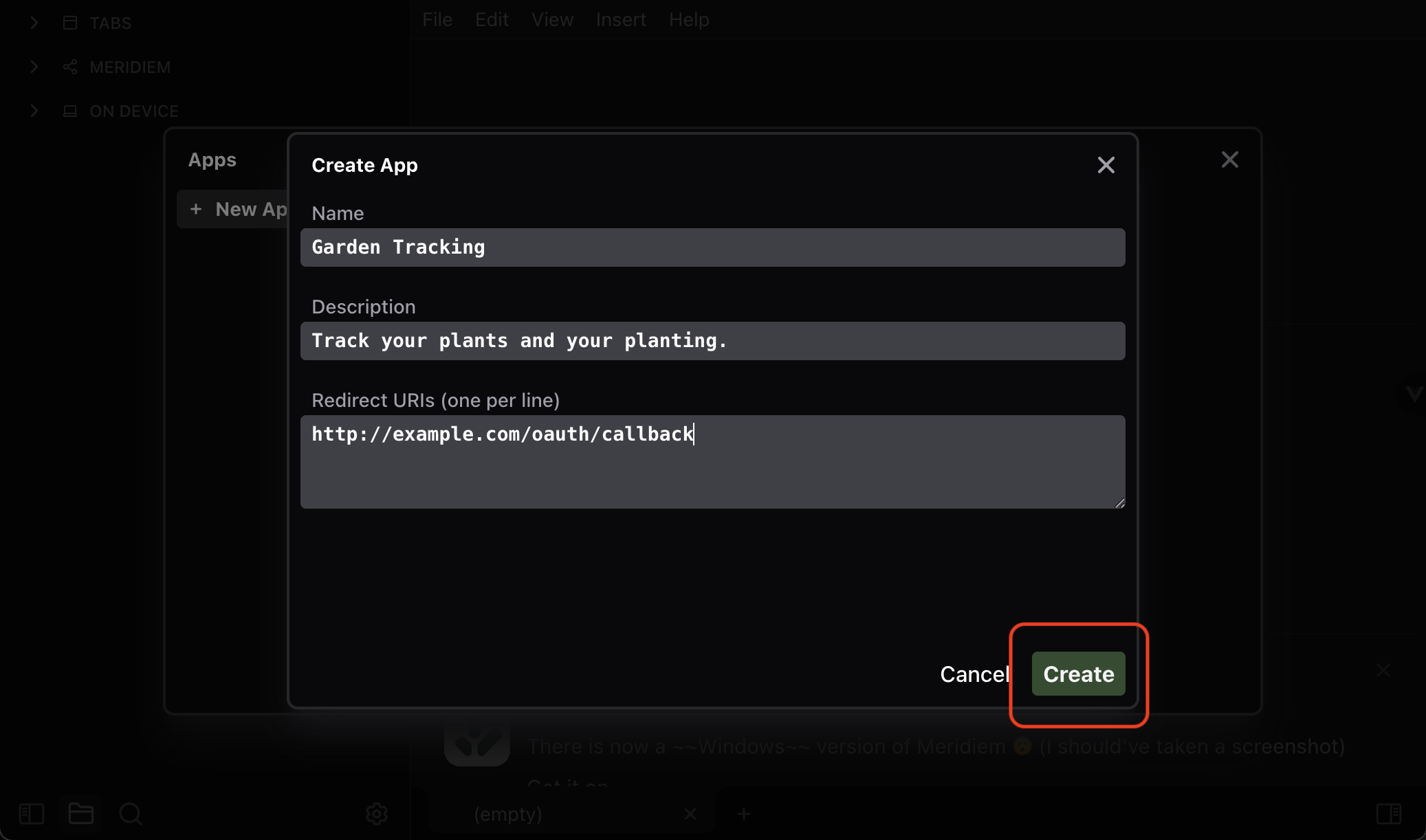
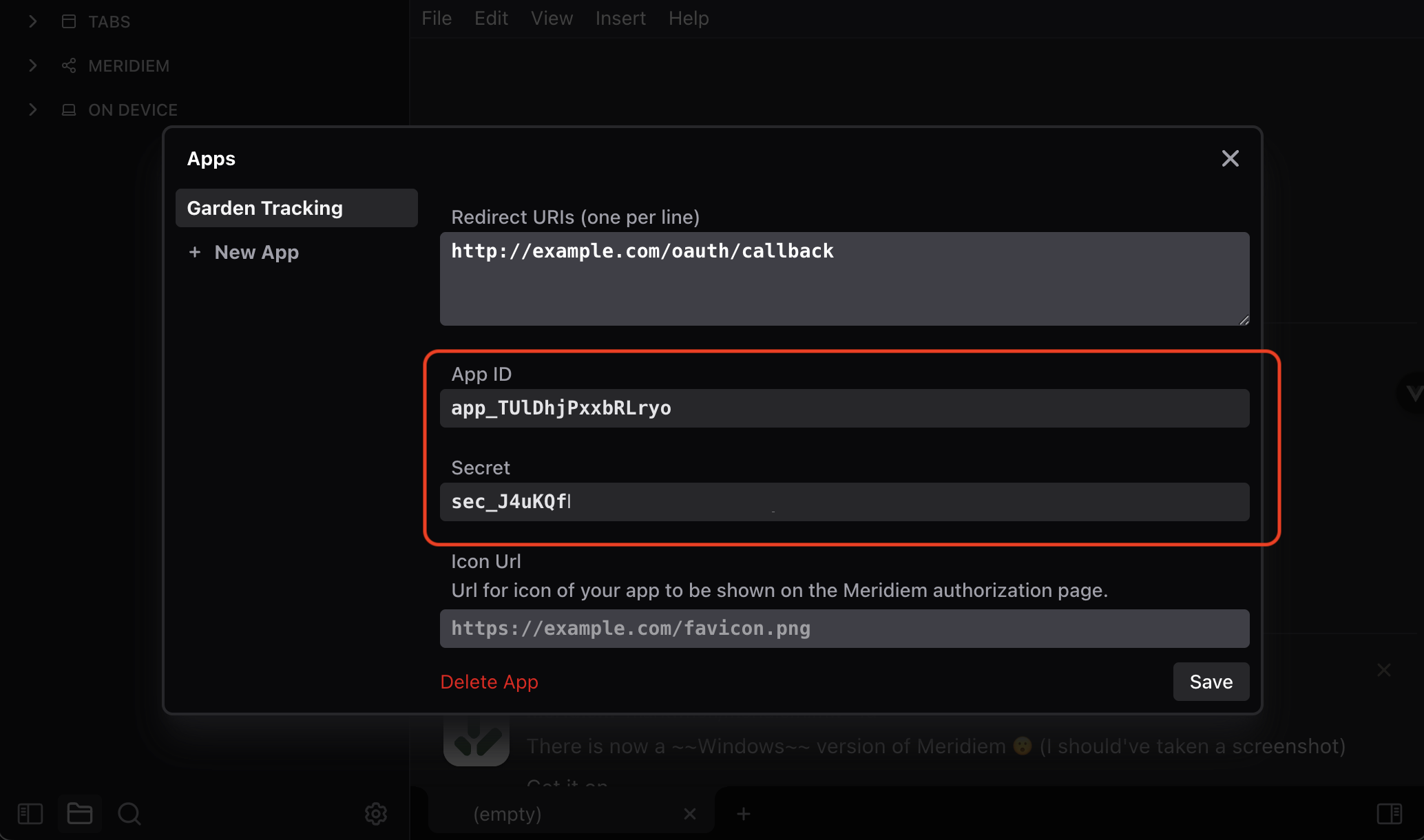
You will enter:
| Field | What to put there |
|---|---|
Name | The app name shown to users |
Description | A short explanation of the app |
Redirect URIs | One or more callback URLs, one per line |
You'll need to enter at least one redirect uri to create the app -- don't worry, you can change it later, and it isn't super important right now.
After saving, Meridiem gives you an app_id and app_secret.
For browser apps, mobile apps, and vibe-coded prototypes, prefer PKCE so the app secret does not need to live in the client. For trusted server-side apps, you can exchange the code with the app secret.
Send the user to Meridiem
Build an authorization URL:
const authorizeUrl = new URL("https://meridiem.markwhen.com/authorize");

authorizeUrl.searchParams.set("client_id", appId);
authorizeUrl.searchParams.set("response_type", "code");
authorizeUrl.searchParams.set("redirect_uri", "https://example.com/auth/callback");
authorizeUrl.searchParams.set("scope", "openid docs.read:* docs.write:*");
authorizeUrl.searchParams.set("state", crypto.randomUUID());

// PKCE, recommended for public clients.
authorizeUrl.searchParams.set("code_challenge", codeChallenge);
authorizeUrl.searchParams.set("code_challenge_method", "S256");

window.location.href = authorizeUrl.toString();
The user sees an authorization page, chooses whether to connect, and Meridiem redirects back to your redirect_uri:
https://example.com/auth/callback?code=code_...&state=...Exchange the code
Exchange the code at /oauth/token.
const response = await fetch("https://meridiem.markwhen.com/oauth/token", {
  method: "POST",
  headers: {
    "content-type": "application/json",
  },
  body: JSON.stringify({
    grant_type: "authorization_code",
    client_id: appId,
    redirect_uri: "https://example.com/auth/callback",
    code,
    code_verifier: codeVerifier,
  }),
});

const tokens = await response.json();const response = await fetch("https://meridiem.markwhen.com/oauth/token", {
method: "POST",
headers: {
"content-type": "application/json",
},
body: JSON.stringify({
grant_type: "authorization_code",
client_id: appId,
client_secret: appSecret,
redirect_uri: "https://example.com/auth/callback",
code,
}),
});
const tokens = await response.json();The response looks like:
{
  access_token: string;
  refresh_token: string;
  exp: string;
  scopes: string[];
  token_type: "Bearer";
  id_token?: string;
}
id_token is returned when the user grants openid.
Call the API
const response = await fetch("https://meridiem.markwhen.com/api/v1/docs", {
  headers: {
    authorization: `Bearer ${tokens.access_token}`,
  },
});

const { docs } = await response.json();
Refresh tokens
Access tokens expire. Keep the latest refresh token and rotate it whenever you refresh:
const response = await fetch("https://meridiem.markwhen.com/oauth/token", {
  method: "POST",
  headers: {
    "content-type": "application/json",
  },
  body: JSON.stringify({
    grant_type: "refresh_token",
    refresh_token: storedRefreshToken,
  }),
});

const nextTokens = await response.json();
If an API call returns 401 or 405, refresh and retry once.
Scopes
| Scope | Allows |
|---|---|
openid | Read the user's email and username |
docs.read:* | Read all documents the user grants to the app |
docs.write:* | Create and change documents the user grants to the app |
docs.read:{doc} | Read one document |
docs.write:{doc} | Write one document |
media.read:* | List uploaded media |
media.write:* | Create upload links and delete uploaded media |
Write access implies read access for the same document. Users can later remove app access in Meridiem settings.
Common gotchas
- The
redirect_uriin the token exchange must exactly match one registered redirect URI. - Authorization codes expire quickly and can only be used once.
- Use
stateto protect your callback from cross-site request forgery. - Use PKCE for browser apps and prototypes. Do not ship
app_secretin frontend code. - API document paths use a user-facing document name/path. Responses include the immutable
doc_id.
For callback, PKCE, status code, and document access problems, see OAuth troubleshooting.