
OAuth Quickstart
This page shows the smallest useful Meridiem OAuth flow: send a user to Meridiem, receive an authorization code, exchange it for tokens, and call the API.
If you are using an auth library, Meridiem behaves like an OAuth/OIDC provider. If you are building by hand, start here.
If you are connecting an MCP client or agent, start with MCP. MCP uses the same OAuth endpoints, but agent clients often use OAuth Client ID Metadata Documents instead of manually created Meridiem apps.
Create an app
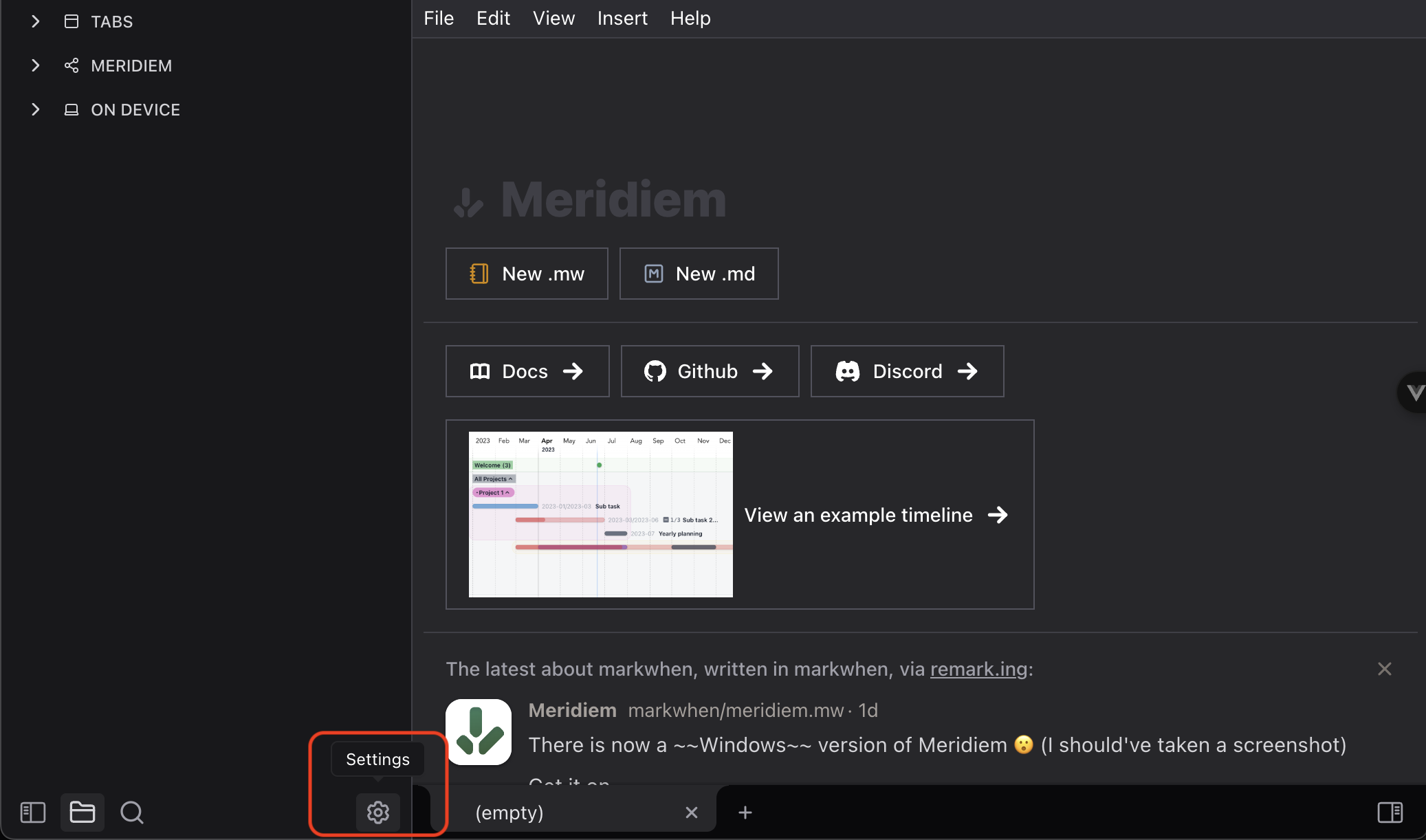
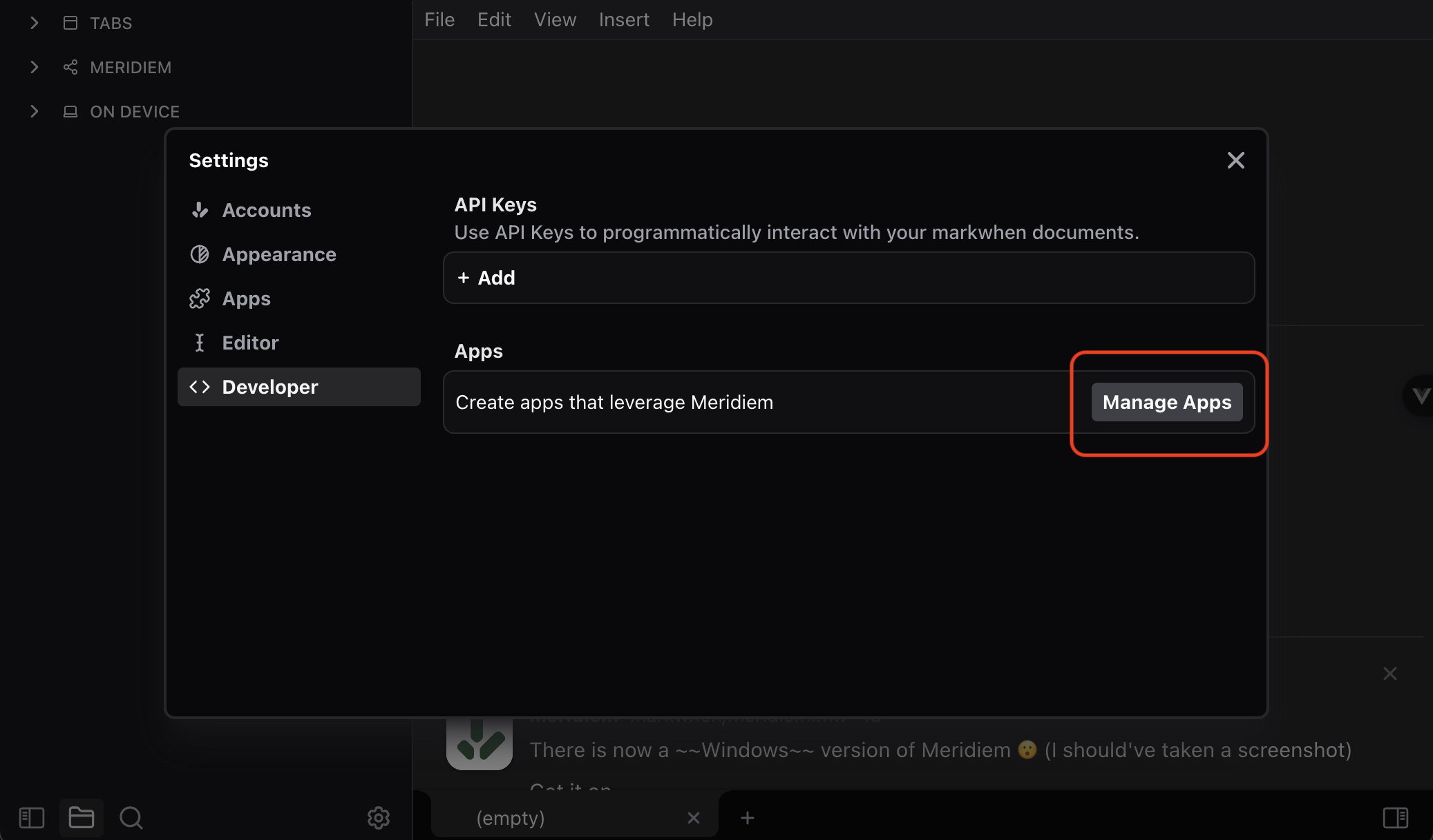
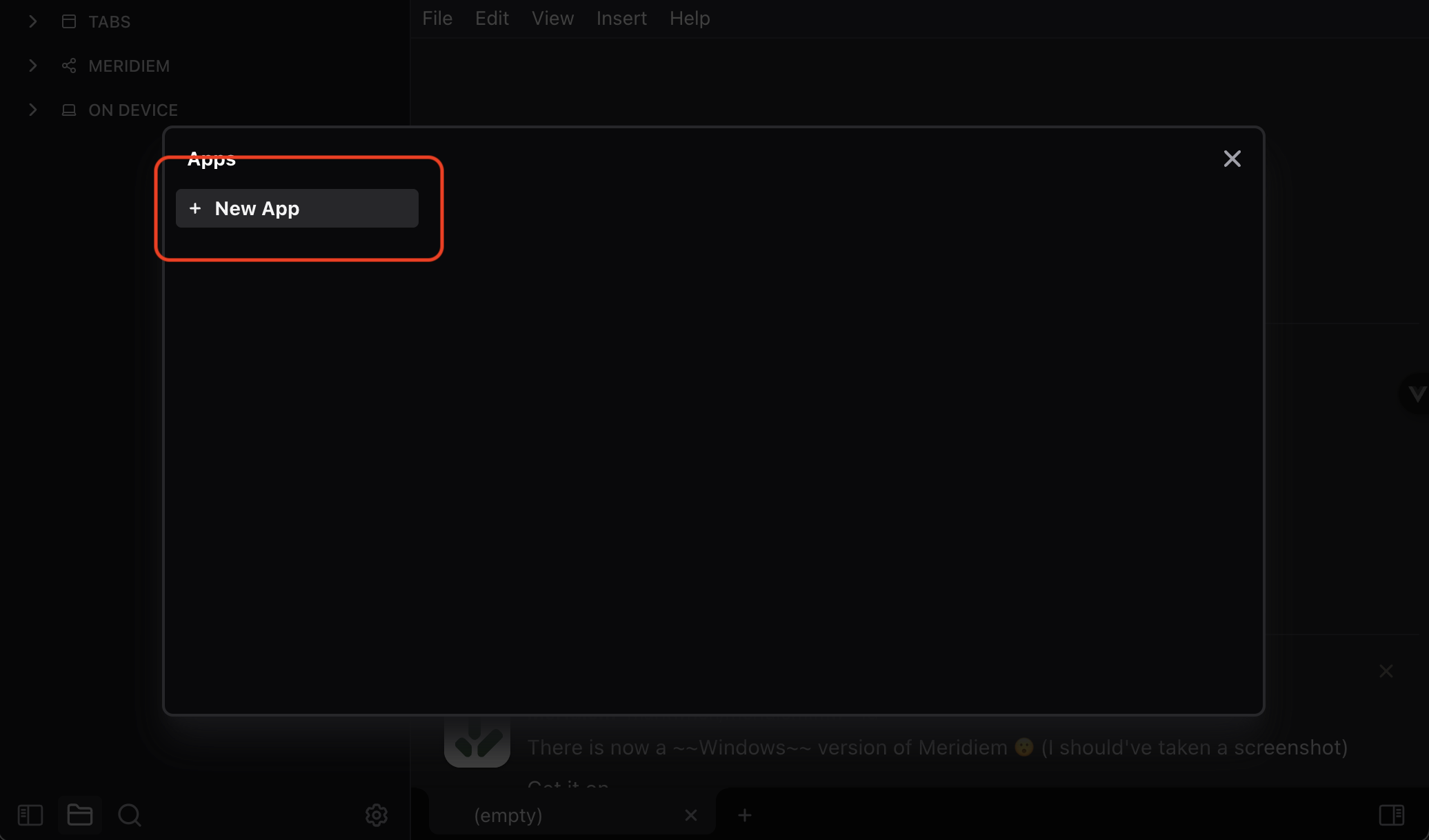
In Meridiem, open Settings -> Developer -> Apps -> Manage Apps -> Create App.
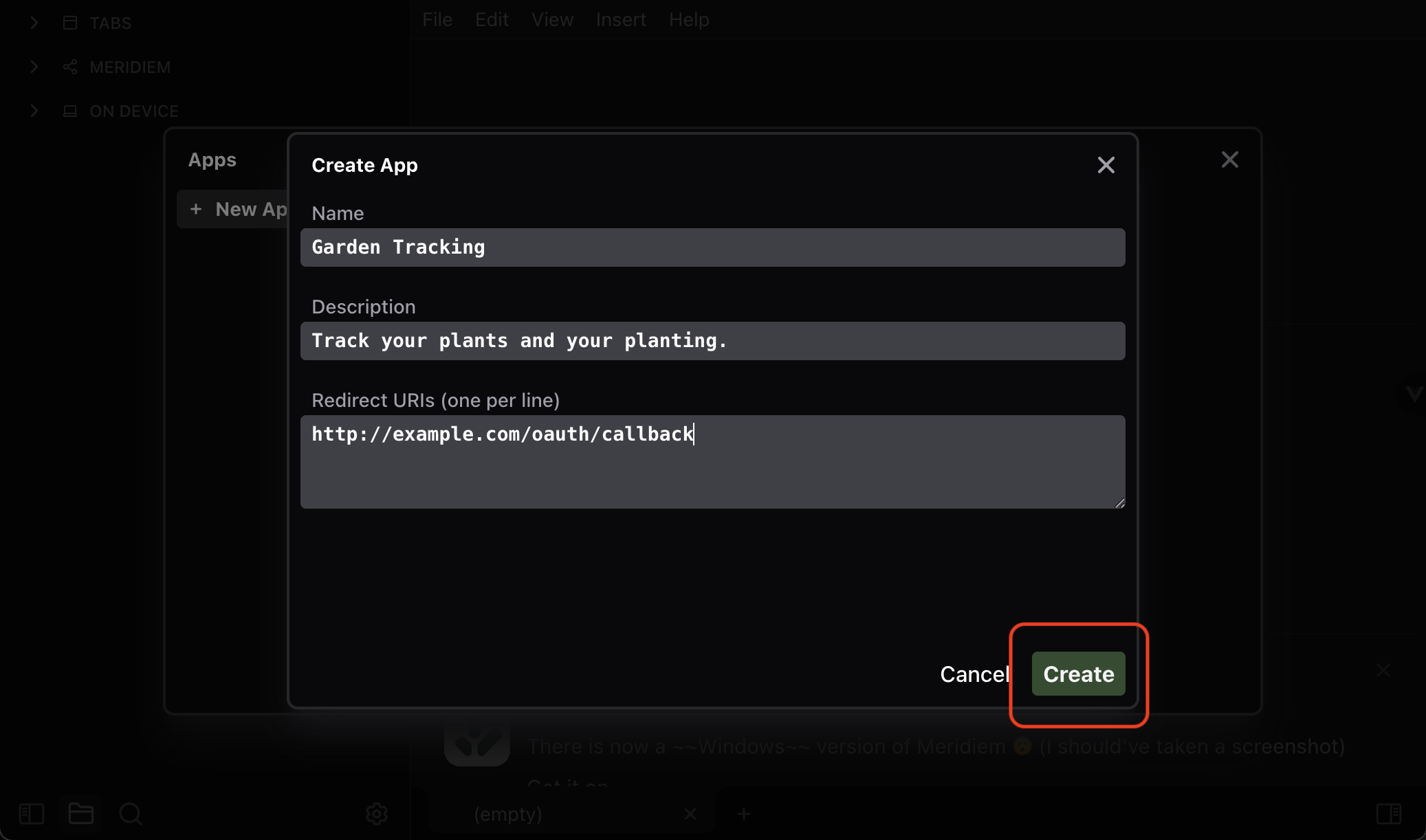
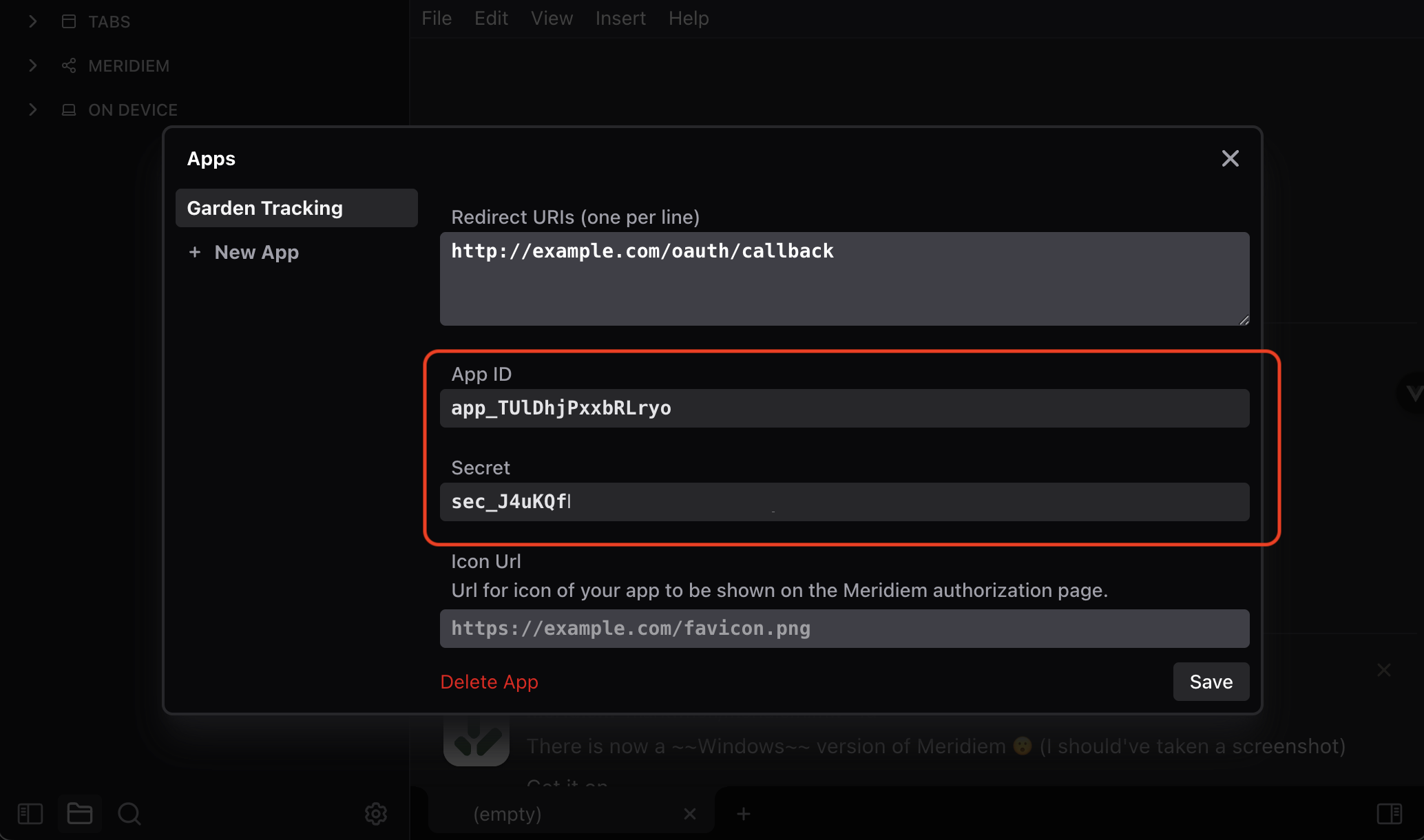
You will enter:
| Field | What to put there |
|---|---|
Name | The app name shown to users |
Description | A short explanation of the app |
Redirect URIs | One or more callback URLs, one per line |
You'll need to enter at least one redirect uri to create the app -- don't worry, you can change it later, and it isn't super important right now.
After saving, Meridiem gives you an app_id and app_secret.
For browser apps, mobile apps, and vibe-coded prototypes, prefer PKCE so the app secret does not need to live in the client. For trusted server-side apps, you can exchange the code with the app secret.
Send the user to Meridiem
Build an authorization URL:
const authorizeUrl = new URL("https://meridiem.markwhen.com/authorize");

authorizeUrl.searchParams.set("client_id", appId);
authorizeUrl.searchParams.set("response_type", "code");
authorizeUrl.searchParams.set("redirect_uri", "https://example.com/auth/callback");
authorizeUrl.searchParams.set("scope", "openid docs.read:* docs.write:*");
authorizeUrl.searchParams.set("state", crypto.randomUUID());

// PKCE, recommended for public clients.
authorizeUrl.searchParams.set("code_challenge", codeChallenge);
authorizeUrl.searchParams.set("code_challenge_method", "S256");

window.location.href = authorizeUrl.toString();
The user sees an authorization page, chooses whether to connect, and Meridiem redirects back to your redirect_uri:
https://example.com/auth/callback?code=code_...&state=...Exchange the code
Exchange the code at /oauth/token.
const response = await fetch("https://meridiem.markwhen.com/oauth/token", {
  method: "POST",
  headers: {
    "content-type": "application/json",
  },
  body: JSON.stringify({
    grant_type: "authorization_code",
    client_id: appId,
    redirect_uri: "https://example.com/auth/callback",
    code,
    code_verifier: codeVerifier,
  }),
});

const tokens = await response.json();const response = await fetch("https://meridiem.markwhen.com/oauth/token", {
method: "POST",
headers: {
"content-type": "application/json",
},
body: JSON.stringify({
grant_type: "authorization_code",
client_id: appId,
client_secret: appSecret,
redirect_uri: "https://example.com/auth/callback",
code,
}),
});
const tokens = await response.json();The response looks like:
{
  access_token: string;
  refresh_token: string;
  exp: string;
  scopes: string[];
  token_type: "Bearer";
  id_token?: string;
}
id_token is returned when the user grants openid.
Call the API
const response = await fetch("https://meridiem.markwhen.com/api/v1/docs", {
  headers: {
    authorization: `Bearer ${tokens.access_token}`,
  },
});

const { docs } = await response.json();
Refresh tokens
Access tokens expire. Keep the latest refresh token and rotate it whenever you refresh:
const response = await fetch("https://meridiem.markwhen.com/oauth/token", {
  method: "POST",
  headers: {
    "content-type": "application/json",
  },
  body: JSON.stringify({
    grant_type: "refresh_token",
    refresh_token: storedRefreshToken,
  }),
});

const nextTokens = await response.json();
If an API call returns 401 or 405, refresh and retry once.
Scopes
| Scope | Allows |
|---|---|
openid | Read the user's email and username |
docs.read:* | Read all documents the user grants to the app |
docs.write:* | Create and change documents the user grants to the app |
docs.read:{doc} | Read one document |
docs.write:{doc} | Write one document |
media.read:* | List uploaded media |
media.write:* | Create upload links and delete uploaded media |
Write access implies read access for the same document. Users can later remove app access in Meridiem settings.
Common gotchas
- The
redirect_uriin the token exchange must exactly match one registered redirect URI. - Authorization codes expire quickly and can only be used once.
- Use
stateto protect your callback from cross-site request forgery. - Use PKCE for browser apps and prototypes. Do not ship
app_secretin frontend code. - API document paths use a user-facing document name/path. Responses include the immutable
doc_id.
For callback, PKCE, status code, and document access problems, see OAuth troubleshooting.